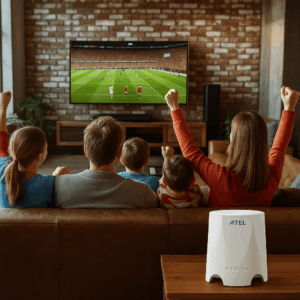
If your Roku keeps buffering, dropping video quality, or freezing right when the show gets good, you’re not alone. Roku is easy to use, but it’s picky about the kind of internet it needs. And here’s the frustrating part: your WiFi bars can look “fine” while your streaming still stutters.
This guide breaks down internet for Roku TV in plain English. You’ll learn the speeds Roku really needs, which internet types work best in 2026, and how to fix common streaming problems fast.
And if you want a simple, reliable option without long contracts, RingPlanet offers flexible 5G internet designed for streaming, with setup in 24–48 hours and US-based support. Check coverage or get a free quote to see what works at your address.

Understanding Internet for Roku TV (And the Myths That Cause Buffering)
Internet for Roku TV is any home internet connection that can stream video smoothly on a Roku device (or Roku TV) without constant buffering, pixelation, or app errors.
But most Roku issues aren’t caused by the Roku itself. They’re caused by your connection not matching how streaming actually works.
Common misconceptions about internet for Roku TV
Misconception #1: “If my internet is fast, Roku should work.”
Speed matters, but stability matters more. A “fast” connection that drops for two seconds will still buffer.
Misconception #2: “WiFi bars mean my Roku is getting good internet.”
Bars show signal strength, not network congestion, interference, or bandwidth.
Misconception #3: “Roku only needs 5 Mbps.”
That might work for one device streaming HD. Add a second stream, gaming, video calls, or updates, and 5 Mbps falls apart.
Misconception #4: “All internet providers work the same.”
Cable, fiber, DSL, 5G, and satellite behave differently at night, during storms, and when neighborhoods get busy.
Why You Need the Right Internet for Roku TV (And What Happens If You Don’t)
If you have the wrong internet for Roku TV, you’ll feel it immediately. Here’s why the right setup matters.
1) No buffering during peak hours
A lot of Roku buffering happens between 7–11 p.m. when everyone is streaming. The right plan keeps performance steady.
2) Better picture quality (HD and 4K stay crisp)
Roku will automatically drop quality if your connection can’t keep up. That’s why your “4K” sometimes looks like 720p.
3) Less lag when you rewind, fast-forward, or switch apps
If your internet can’t respond quickly, Roku feels sluggish even when it’s technically “connected.”
4) Supports multiple devices without fighting for bandwidth
Most homes don’t just stream on one Roku. There’s also phones, tablets, laptops, security cameras, and game consoles.
5) Saves you time (and avoids the “restart everything” loop)
When streaming is smooth, you stop wasting nights troubleshooting.
Cost of inaction: You can end up paying for a “faster” plan that doesn’t fix the real problem (WiFi placement, upload limits, congestion, or outdated equipment).
RingPlanet helps you choose a plan based on how you actually stream, not just headline speeds. Get a free quote
Types of Internet for Roku TV (Best Options Compared in 2026)
Not every connection is equally good for streaming. Below are the most common types of internet for Roku TV, with realistic pros and cons.
Option 1: Fiber Internet (Best Performance if Available)
Typical speeds: 300 Mbps–2 Gbps
Typical price: $60–$120/month
Pros
- Very stable for Roku streaming
- Strong upload speeds
- Low latency
Cons
- Not available everywhere
- May require installation appointments
RingPlanet availability: In some areas via partner access depending on location. Check coverage
Option 2: Cable Internet (Fast, But Can Slow Down at Night)
Typical speeds: 100–1,000 Mbps
Typical price: $50–$110/month
Pros
- Widely available
- Strong downloads for streaming
Cons
- Can slow down in peak hours
- Upload speeds can be limited
- Neighborhood congestion is common
Option 3: 5G Wireless Internet (Best Mix of Streaming + Flexibility)
Typical speeds: 50–500 Mbps (location-dependent)
Typical price: $29+
Pros
- Great for Roku streaming when signal is strong
- Fast setup, no drilling
- Portable options available
- No long-term contracts (with RingPlanet)
Cons
- Router placement matters
- Coverage and speeds vary by location
RingPlanet availability: Yes—RingPlanet specializes in flexible 5G internet for streaming.
Explore: Wireless Internet
Option 4: DSL (Works for HD, Often Struggles for 4K)
Typical speeds: 10–100 Mbps
Typical price: $30–$70/month
Pros
- Available in many areas
- Can be stable
Cons - Often too slow for 4K + multiple devices
- Upload is usually weak
Option 5: Satellite (For Remote Areas, But Higher Latency)
Typical speeds: 25–200 Mbps
Typical price: $90–$200+/month
Pros
- Works where wired options don’t
Cons - Latency can hurt streaming responsiveness
- Weather may impact performance
- Equipment costs
Option 6: Mobile Hotspot (Good Backup, Not Ideal Full-Time)
Typical speeds: 5–150 Mbps
Typical price: varies
Pros
- Portable
- Useful in emergencies
Cons - Throttling and data caps
- Inconsistent for heavy streaming
Option 7: Fixed Wireless (Local Providers)
Typical speeds: 25–200 Mbps
Typical price: varies
Pros
- Can be strong in certain neighborhoods
Cons - Depends heavily on local tower/network load
How to Choose Internet for Roku TV (What to Look For)
Choosing internet for Roku TV is easier when you look at the right numbers.
1) Roku speed requirements (real-world)
These are good targets for one Roku stream:
- HD streaming: 5–10 Mbps
- 4K streaming: 25 Mbps+
- 4K + multiple devices: 100 Mbps+ recommended
If your home streams on more than one device, your total needs go up fast.
2) Stability beats “max speed”
A consistent 80 Mbps connection is better for Roku than an unstable 300 Mbps connection.
3) WiFi quality matters as much as your internet plan
Your plan might be fine, but your WiFi might be the problem:
- router is too far from the TV
- walls block signal
- interference from neighbors
- outdated router hardware
4) Avoid these common mistakes
- Hiding your router behind the TV
- Using crowded 2.4 GHz WiFi when 5 GHz is available
- Paying for “more speed” without fixing placement
- Ignoring bandwidth-hogging devices (updates, cameras, cloud backups)
Need help matching a plan to your Roku setup?
CTA: Get a free quote
Use Cases: Best Internet for Roku TV by Household Type
Families with multiple TVs
You need internet that can handle:
- multiple Roku streams
- school devices
- phones and tablets
- smart home gear
Recommendation: 100–300 Mbps range, depending on how many streams run at once.
RingPlanet 5G is a strong option if wired service is pricey or unreliable.
Explore: Wireless Internet
Remote workers who also stream
You want steady video calls and smooth Roku streaming at night.
Recommendation: prioritize stability + upload speed, and consider backup internet.
Learn more: Backup Internet
Apartment residents
Apartments often have WiFi interference from neighbors.
Recommendation: a strong 5G solution with good placement, or fiber if available.
CTA: Check coverage
Small businesses with Roku TVs (waiting rooms, gyms, salons)
You want consistent streaming all day, plus support if anything breaks.
Recommendation: business-grade reliability + backup options.
Learn more: Business Internet
RingPlanet Plans for Internet for Roku TV (2026)
RingPlanet is built for people who want streaming that just works—without long contracts and without waiting weeks for installation.
[TABLE PLACEHOLDER]
| RingPlanet Tier | Best For | Typical Speeds | Starting Price | Highlights |
| Starter 5G | One Roku + light use | 50–100 Mbps | $29+ | No contracts, fast setup |
| Standard 5G | HD + some 4K | 100–200 Mbps | $49+ | Better multi-device streaming |
| Premium 5G | 4K + busy households | 200–500 Mbps | $79+ | Best performance for peak hours |
| Backup Add-On | “No downtime” homes | varies | $29+ | Continuity/failover options |
What RingPlanet includes
- No long-term contracts
- Setup in 24–48 hours
- 100% US-based customer support
- Money-back guarantee
Installation & Troubleshooting: Make Roku Streaming Smooth (Step-by-Step)
If your Roku buffers, try this before you replace your internet plan.
DIY setup checklist (10 minutes)
- Restart your Roku and router
- Move your router closer to your TV (even temporarily)
- Run a speed test near the Roku (phone next to the TV is fine)
- Switch Roku to 5 GHz WiFi if available
- Turn off unused devices streaming in the background
- Update Roku software
- If possible, test Ethernet (wired is always more stable)
Best router placement for Roku
- Put the router high up, not on the floor
- Keep it out in the open
- Avoid placing it behind a TV or inside a cabinet
- Try near a window for 5G setups
How to fix common Roku errors
Roku buffers but speed test looks good
- your WiFi signal may be unstable
- switch WiFi bands (2.4 ↔ 5 GHz)
- reduce interference (move router, change channel)
Streaming Works in the Morning but Fails on Roku at Night
- congestion (neighbors streaming)
- consider a plan built for stability or a 5G option like RingPlanet
WiFi Not Showing Up on Your Roku Device
- restart router
- forget network and reconnect
- confirm your SSID is visible and password is correct
Want help troubleshooting? RingPlanet’s support is US-based and easy to reach. Contact RingPlanet
Cost Analysis: What Internet for Roku TV Really Costs in 2026
Most people think the cost is just the monthly bill. But “cheap” internet becomes expensive when you’re constantly troubleshooting.
Typical monthly costs (2026)
- DSL: $30–$70
- Cable: $50–$110
- Fiber: $60–$120
- RingPlanet 5G: $29+
- Satellite: $90–$200+
ROI of better streaming internet
If you stream daily, a reliable plan gives you:
- less buffering
- fewer resets
- fewer support calls
- fewer upgrades you didn’t need
And with RingPlanet, you avoid long contracts, so you’re not stuck if your needs change.
Comparison: Internet for Roku TV vs Traditional Cable Internet
Cable is common, but it’s not always the best for peak-hour streaming.
Cable: Good speed, but can be inconsistent
- Great downloads
- Often slower uploads
- Can slow down at night
RingPlanet 5G: Flexible and fast to set up
- No long-term contracts
- Setup in 24–48 hours
- Portable options
- US-based support
- Money-back guarantee
The “best” choice depends on your address and how you stream. Check coverage
FAQs: Internet for Roku TV (2026)
1) What’s the best internet for Roku TV in 2026?
Fiber is usually best if available. If not, a strong 5G plan like RingPlanet is often the best mix of speed, stability, and flexibility.
2) How much internet speed do I need for Roku?
- HD: 5–10 Mbps
- 4K: 25 Mbps+
If you stream on multiple devices, aim for 100 Mbps+.
3) Why does my Roku buffer even with fast internet?
Because buffering is often caused by WiFi interference, router placement, congestion, or unstable connection—not just speed.
4) Is 5G internet good for Roku streaming?
Yes, especially if you have good coverage and place the router correctly. Many homes stream smoothly on 5G.
5) Does RingPlanet require a contract?
No. RingPlanet offers no long-term contracts.
6) How fast can RingPlanet internet be?
Speeds vary by location, but many areas support strong 5G performance for HD and 4K streaming.
7) How quickly can I get set up?
RingPlanet can typically set you up within 24–48 hours.
8) Can RingPlanet help if I move?
Yes. RingPlanet offers flexible options designed for portability.
9) Should I connect Roku to Ethernet?
If your Roku supports it (or you use an adapter), Ethernet is more stable than WiFi and often reduces buffering.
10) What’s the best WiFi band for Roku?
Usually 5 GHz for faster speeds at close range. Use 2.4 GHz if your TV is far away and signal strength is the issue.
11) Why is my Roku blurry sometimes?
Roku automatically lowers video quality when the connection dips.
12) Does Roku work on “unlimited” internet?
Yes, but “unlimited” can still have slowdowns if the network is congested. Stability matters.
13) Can too many devices cause buffering?
Yes. Streaming, gaming, video calls, and updates can all compete for bandwidth.
14) Do I need a new router for Roku?
Sometimes. Older routers can struggle with modern streaming and multiple devices.
15) Is there a money-back guarantee with RingPlanet?
Yes. RingPlanet includes a money-back guarantee.
16) How do I know if RingPlanet works at my address?
Use the coverage tool: Check coverage
Conclusion: The Best Internet for Roku TV in 2026
If you want smooth streaming, the best internet for Roku TV is the one that stays stable at night, supports 4K when you need it, and doesn’t collapse when the rest of your home is online.
Quick recap
- HD needs 5–10 Mbps, 4K needs 25 Mbps+
- Stability and WiFi quality matter more than “headline speeds”
- 5G can be an excellent Roku option in 2026
- Router placement can fix more issues than upgrading your plan
Want streaming that just works?
RingPlanet gives you contract-free, streaming-ready internet with setup in 24–48 hours, US-based support, and a money-back guarantee—so you can press play and relax.