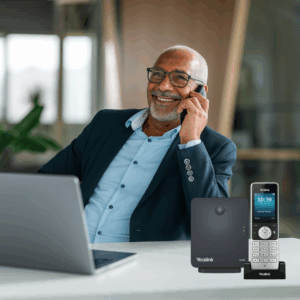
Failover internet for remote workers is the difference between a minor inconvenience and a career-damaging disruption. A cable outage during a client presentation. A fiber cut that takes down the home office for six hours. A provider failure that happens on the one morning a critical deadline cannot slip. Every remote worker has experienced at least one outage that turned a productive day into a scramble. At RingPlanet, we have spent over 30 years helping professionals stay connected when primary internet fails, and a wireless failover connection is the most effective protection a home office can have.
What Failover Internet Actually Means for Remote Work
Failover internet is a secondary connection that activates when the primary internet goes down. The failover runs on completely separate infrastructure. When the cable or fiber connection fails, the failover takes over and keeps every work system operational.
The concept is borrowed from enterprise networking. Large companies maintain redundant internet connections at every office. When one goes down, the other picks up instantly. Remote workers deserve the same protection at the home office.
The difference is simplicity. An enterprise failover system costs thousands and requires IT staff. A plug-and-play wireless failover for a home office costs a modest monthly fee and requires no technical expertise to set up or activate.
Failover Internet for Remote Workers: Why It Matters More Than Ever
Remote work is no longer temporary. Millions of Americans work from home permanently. The home office is the workplace. And the home internet connection is the infrastructure that career depends on.
A traditional office has IT support, redundant connections, and backup systems. A home office has one cable connection and a hope that nothing goes wrong. When something does go wrong, the remote worker faces consequences that an office worker never would.
Missed meetings damage professional credibility. A remote worker who drops from a client call or a team meeting during an outage looks unreliable. The reason does not matter. The impression does.
Missed deadlines carry real consequences. A file that cannot upload, a report that cannot submit, or a code deployment that cannot push because the internet is down creates delays that affect the entire team.
Lost billable hours cost money directly. A freelancer or consultant who cannot work for four hours during an outage loses four hours of income. The cable company does not compensate for that loss.
Employer trust erodes over time. A remote worker who regularly goes offline during business hours raises questions about reliability. A failover connection eliminates the outage pattern entirely.
How Wireless Failover Works at a Home Office
A wireless failover device connects to a nearby 4G LTE or 5G tower on a major U.S. network. The connection runs on cellular infrastructure that is completely independent from the home’s cable, fiber, or DSL service.
Two activation methods exist.
Manual failover. The wireless device stays powered and ready. When the primary connection drops, the remote worker connects the laptop and work devices to the failover Wi-Fi network. The transition takes under five minutes. Work resumes on the backup connection while the primary provider resolves the outage.
Automatic failover. A dual-WAN router monitors the primary connection continuously. The moment an outage is detected, the router switches all devices to the wireless backup automatically. The transition happens within seconds. Most remote workers do not even notice the switch. Video calls continue. Cloud tools stay connected. The workday proceeds without interruption.
RingPlanet’s wireless internet for remote workers devices are designed for both approaches. The device ships pre-configured and ready to serve as a standby failover or a full-time secondary connection depending on the home office setup.
Failover Internet for Remote Workers: 4G LTE vs. 5G for Backup Use
Both 4G LTE and 5G work effectively as failover connections for remote work. The right choice depends on coverage at the home office address.
4G LTE covers the vast majority of U.S. home office locations. Speeds of 25 to 100 Mbps on a strong 4G LTE connection support video calls, cloud collaboration, file transfers, and every standard remote work task without any noticeable performance difference from the primary cable connection.
5G delivers faster failover speeds in urban and suburban locations. On a strong 5G connection, speeds of 100 Mbps and above make the backup experience indistinguishable from primary fiber. Multiple simultaneous video calls run smoothly. Large file uploads complete without delay.
RingPlanet’s devices automatically connect to the strongest available signal. A home office with both 4G and 5G coverage always uses the faster option during a failover event.
What a Remote Worker Needs From a Failover Connection
Not every backup solution qualifies as professional-grade failover. Remote work places specific demands on a secondary connection that casual backup use does not require.
- Upload speed sufficient for video calls. Video conferencing depends on upload performance. A failover with strong download but weak upload produces choppy, frozen video that is worse than no video at all.
- Low latency for real-time collaboration. VoIP phone systems, screen sharing, and live document collaboration are sensitive to latency. Major carrier 4G LTE and 5G deliver consistently low latency that keeps communication natural.
- Consistent speeds during business hours. A failover that performs well at midnight but slows during the 9 to 5 window fails when the remote worker needs it most.
- Complete network independence. The failover must run on entirely separate infrastructure from the primary connection. A wireless device on a cellular network shares nothing with cable, fiber, or DSL.
- Activation speed measured in seconds, not hours. A failover that takes 30 minutes to configure during a stressful outage defeats the purpose. Plug-and-play activation means the device is ready within 60 seconds.
Who Needs Failover Internet Most
Software Engineers and Developers
A developer in the middle of a production deployment or a code review cannot afford a connection drop. A failover keeps the development environment, version control, and CI/CD pipelines accessible throughout the outage.
Client-Facing Consultants and Account Managers
A consultant presenting to a client board or an account manager on a quarterly review call needs absolute connection reliability. Dropping from a high-stakes call is not recoverable with an apology email.
Healthcare and Legal Remote Workers
Telehealth providers, legal professionals, and compliance officers work with sensitive data under strict availability expectations. An outage during a patient consultation or a legal filing deadline creates compliance risk beyond simple inconvenience.
Freelancers and Independent Professionals
A freelancer’s reputation depends on reliability. Missing a deadline because of an internet outage is not an excuse most clients accept. A failover connection keeps the freelance business running regardless of what happens to the cable provider.
RingPlanet’s remote worker internet solutions serve all of these professionals with major U.S. network coverage, plug-and-play setup, and month-to-month flexibility.
The Cost Reality: Failover Plan vs. Outage Damage
The monthly cost of a wireless failover plan is small compared to the professional consequences of a single significant outage.
A consultant who loses a four-hour afternoon during a cable outage loses more in billable revenue than the entire annual cost of a failover plan. A freelancer who misses a client deadline risks losing the client entirely. A remote employee who goes dark during an important meeting faces trust erosion that takes months to rebuild.
The math is clear for any remote worker who depends on internet for income. A modest monthly investment eliminates the one vulnerability that no amount of professional skill can overcome: a dead internet connection during business hours.
According to the FCC’s Network Outage Reporting System, significant internet outages affect millions of U.S. households annually. The average cable outage duration in residential areas extends long enough to disrupt an entire workday when no backup connection is available.
Setting Up Failover at a Home Office
The setup process takes under 10 minutes and requires no technical background.
Step one: Place the device near a window. A window facing the nearest cell tower delivers the strongest incoming signal. Testing two or three windows identifies the best position.
Step two: Keep the device powered. The failover device stays in standby mode, drawing minimal power while remaining ready to activate instantly.
Step three: Choose manual or automatic failover. Manual failover means connecting devices to the backup Wi-Fi during an outage. Automatic failover with a dual-WAN router eliminates the manual step entirely.
Step four: Test the failover before an outage happens. Disconnecting the primary internet and confirming the backup connection supports video calls and cloud tools verifies the setup works before a real outage occurs.
Frequently Asked Questions
What is failover internet for remote workers?
Failover internet is a backup connection on a separate network that activates when the primary home office internet goes down. It keeps video calls, cloud tools, and work systems running during outages.
How fast does failover internet activate during an outage?
With a dual-WAN router, failover is automatic and switches within seconds. Manual failover takes under five minutes to connect devices to the backup Wi-Fi network.
Is 4G LTE fast enough for remote work failover?
Yes. A strong 4G LTE connection delivers 25 to 100 Mbps with low latency. This supports video calls, cloud collaboration, and file transfers without noticeable performance differences from cable.
Does wireless failover run on a different network than cable?
Yes. A wireless failover device connects to cellular tower infrastructure on a major U.S. carrier network. This is completely independent from cable, fiber, or DSL, ensuring the backup works when the primary fails.
Is there a contract required for remote worker failover internet?
No. RingPlanet offers no-contract wireless failover plans for remote workers. Plans run month to month and cancel anytime without a termination fee.
The Bottom Line for Remote Workers
Failover internet for remote workers eliminates the single biggest vulnerability in any home office setup: a dead primary connection during business hours. A wireless device on a separate cellular network activates in seconds, delivers professional-grade speeds, and costs a fraction of what a single lost workday or damaged client relationship would cost.
RingPlanet brings over 30 years of connectivity experience to remote professionals across the United States. Plug-and-play setup, major 4G and 5G network coverage, month-to-month flexibility, and transparent pricing make wireless failover the clear choice for any remote worker who cannot afford to go offline.
If protecting the home office from outages is the goal, we can help find the right failover plan for the address and work demands. Contact RingPlanet to check coverage and get started today.