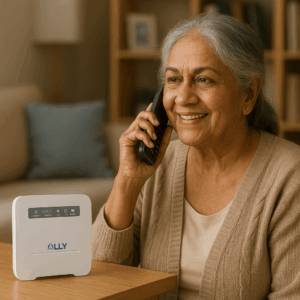
When your primary internet connection fails during a crucial business presentation or while processing time-sensitive transactions, you need more than just any backup—you need fast, reliable protection that maintains productivity. A 5G backup internet solution provides high-performance automatic failover using next-generation cellular technology, delivering speeds often exceeding 100 Mbps to keep your operations running smoothly during primary service outages.
We’ve implemented 5G backup systems for businesses and remote workers across the country, and we’ve witnessed how this technology has transformed backup connectivity from basic emergency access to genuine high-performance alternatives. This guide will help you understand how 5G backup internet solution works, evaluate whether it’s right for your needs, and implement reliable failover protection that keeps you connected when it matters most.
Understanding 5G Backup Internet Technology
A 5G backup internet solution uses fifth-generation cellular networks to provide secondary connectivity that automatically activates when your primary internet fails. Unlike older 4G LTE backup options that often struggle with bandwidth-intensive applications, 5G technology delivers dramatically faster speeds and lower latency suitable for demanding business operations.
The technology works through specialized routers equipped with 5G cellular modems. These routers continuously monitor your primary wired connection and automatically switch to 5G cellular when outages occur. The independent infrastructure means your backup remains operational even when cable or fiber networks experience widespread disruptions affecting entire neighborhoods.
Modern 5G networks achieve download speeds ranging from 100-300 Mbps in typical deployments, with peak speeds exceeding 1 Gbps in optimal conditions. This performance level allows businesses to maintain nearly normal operations during backup activation rather than limping along on minimal emergency connectivity.
Why 5G Transforms Backup Connectivity
Previous generations of cellular backup provided basic emergency access but struggled with modern business requirements. Video conferencing would freeze, cloud applications would timeout, and multiple users sharing backup bandwidth would experience severe slowdowns.
5G backup internet solution changes this equation completely. The enhanced speeds and capacity support video calls, cloud software, file transfers, and multiple simultaneous users without the severe performance degradation that plagued earlier cellular backup technologies.
For businesses that cannot afford significant productivity loss during outages, 5G backup delivers performance levels that maintain essential operations effectively. Remote workers can continue video conferences, sales teams can process transactions, and customer service operations can maintain normal response times.
Key Advantages of 5G Backup Solutions
Several characteristics make 5G particularly effective for backup internet applications compared to alternative technologies.
Superior Speed and Capacity
The dramatic speed improvements over 4G LTE mean 5G backup can handle bandwidth-intensive applications that would be impossible on older cellular technologies. Streaming, large file transfers, and cloud application synchronization all work acceptably on 5G backup, whereas 4G would struggle or fail completely.
Lower latency in 5G networks improves responsiveness for interactive applications. Video conferencing feels more natural, remote desktop connections respond quickly, and real-time collaboration tools function smoothly even when running on backup connectivity.
Independent Infrastructure Reliability
5G cellular networks operate completely separately from wired internet infrastructure. When construction accidents sever fiber cables, when weather damages above-ground lines, or when provider equipment failures affect wired services, cellular networks typically continue functioning normally.
This infrastructure independence provides genuine redundancy. The same events that disrupt your primary connection rarely affect cellular networks, ensuring backup availability precisely when needed most.
Flexible Deployment Options
5G backup requires minimal installation complexity compared to some alternative backup technologies. Most implementations use simple plug-and-play routers that don’t require professional installation, external antennas, or complex configuration.
The wireless nature means no additional cables or infrastructure needed. As long as adequate 5G coverage exists at your location, implementing backup takes minutes rather than hours or days required for some wired backup alternatives.
Evaluating 5G Coverage for Backup Use
The effectiveness of any 5G backup internet solution depends entirely on signal availability and quality at your specific location. Coverage varies significantly even within the same city or region.
Checking 5G Availability
Major carriers provide coverage maps showing 5G deployment areas. However, maps show general coverage zones rather than guaranteed performance at every address. Buildings, terrain, and distance from towers all affect actual signal strength and speeds.
Before committing to 5G backup, verify coverage at your exact location. Many carriers and equipment vendors offer trial periods or demonstration equipment allowing you to test real-world performance. Testing during different times of day reveals whether network congestion affects backup speeds during business hours.
Understanding 5G Network Types
Carriers deploy different 5G technologies with varying performance characteristics. High-band 5G delivers the fastest speeds but has limited range and building penetration. Mid-band 5G offers good speed-to-coverage balance suitable for most backup applications. Low-band 5G provides wide coverage but speeds closer to advanced 4G LTE.
Most backup deployments work well with mid-band 5G, which typically delivers 100-300 Mbps speeds with reasonable coverage and building penetration. Understanding which 5G type serves your location helps set appropriate performance expectations.
Implementing 5G Backup Systems
Proper implementation ensures your 5G backup activates reliably and delivers expected performance during actual outages.
Selecting Equipment
Quality failover routers with built-in 5G modems simplify deployment. Look for routers supporting automatic failover, multiple carrier compatibility for future flexibility, external antenna connections for coverage optimization, and business-grade reliability features.
Some businesses prefer separate 5G wireless internet devices managed by dedicated failover routers. This approach offers more flexibility but adds complexity. Integrated solutions with built-in 5G modems typically provide better reliability through tighter integration.
Configuration Best Practices
Configure failover timeouts appropriately for your operations. Shorter timeouts of 20-30 seconds provide faster backup activation but might trigger on brief network hiccups. Longer timeouts of 60-90 seconds ensure legitimate outages before switching but delay backup activation slightly.
Test backup activation regularly, at least quarterly. Temporarily disconnect primary internet and verify smooth failover to 5G backup. Confirm that essential applications function acceptably and note any performance limitations requiring operational adjustments during backup use.
5G Backup for Different Use Cases
Different operational scenarios benefit from 5G backup in specific ways, with requirements varying based on usage patterns and risk tolerance.
Small Business Applications
Small businesses typically need backup supporting 5-20 users and core business applications. Backup internet service for business using 5G technology provides excellent protection without enterprise-level complexity or costs.
Retail operations maintain point-of-sale functionality during outages, preventing lost sales. Professional services continue client communications and cloud application access. Small manufacturing operations maintain connectivity to inventory systems and supplier networks.
Remote Worker Protection
Individual remote workers face professional consequences when internet failures prevent work completion. A 5G backup internet solution ensures continued access to email, video conferencing, and corporate VPN connections during primary service disruptions.
The high performance of 5G backup means remote workers maintain nearly normal productivity rather than struggling with limited emergency connectivity. Video call quality remains acceptable, large file uploads complete successfully, and cloud application performance stays reasonable.
Enterprise Deployments
Large organizations often implement 5G backup across multiple locations for consistent protection. Centralized management platforms monitor backup activation, track data usage, and ensure configuration consistency across distributed sites.
Enterprise 5G backup frequently complements rather than replaces other redundancy measures. Critical facilities might use 5G as tertiary backup behind primary fiber and secondary cable connections, ensuring connectivity under virtually any failure scenario.
Cost Considerations and Data Management
Understanding cost structures helps budget appropriately and avoid surprises during extended outage scenarios.
Service Plan Options
5G backup plans range from pay-as-you-go options charging only for data used during activation to fixed monthly fees providing allocated data allowances. According to major carriers like Verizon and T-Mobile, business plans typically offer better value for backup use compared to consumer plans, with higher priority during network congestion and more generous data allowances.
Unlimited data plans eliminate usage anxiety during extended outages. While costing more monthly, unlimited plans prevent scenarios where prolonged primary outages trigger massive overage charges on metered backup plans.
Equipment Investment
Initial equipment costs for quality 5G failover routers range from $300-700 depending on features and capabilities. Business-grade routers with advanced failover logic, multiple WAN support, and centralized management cost more but deliver superior reliability and easier administration.
External 5G antennas add $100-300 but significantly improve performance in marginal coverage areas. The investment typically justifies itself through better backup speeds and reliability in locations where indoor signal strength proves weak.
Comparing 5G to Alternative Backup Technologies
Understanding how 5G backup stacks up against alternatives helps make informed technology decisions.
5G generally outperforms 4G LTE backup significantly, with 3-5 times faster typical speeds and better capacity for multiple users. The performance gap becomes especially noticeable for bandwidth-intensive applications like video conferencing and large file transfers.
Compared to DSL or fixed wireless backup, 5G typically delivers superior speeds and easier deployment. However, wired backup technologies sometimes provide more consistent speeds unaffected by cellular network congestion during peak usage periods.
Satellite backup offers coverage in areas beyond terrestrial network reach, but 5G provides much lower latency and typically faster speeds where cellular coverage exists. According to network infrastructure reports, satellite backup costs usually exceed 5G backup for equivalent performance levels.
Frequently Asked Questions
What is a 5G backup internet solution?
A 5G backup internet solution uses fifth-generation cellular networks to provide automatic failover connectivity when primary internet fails. Specialized routers monitor primary connection health and switch to 5G cellular within 20-30 seconds of detecting outages, maintaining business operations with speeds typically exceeding 100 Mbps.
How fast is 5G backup internet compared to 4G?
5G backup typically delivers 100-300 Mbps in real-world conditions, compared to 20-50 Mbps for 4G LTE backup. This 3-5x speed improvement allows 5G backup to support demanding applications like video conferencing and cloud software that struggle on 4G connections.
Do I need special equipment for 5G backup?
Yes, 5G backup requires routers with built-in 5G modems or separate 5G devices paired with failover routers. Standard routers without 5G capabilities cannot access 5G networks. Quality business failover routers with integrated 5G modems typically cost $300-700.
How much does 5G backup internet cost monthly?
Monthly costs range from $50-150 depending on data allowances and plan type. Business plans with higher priority and generous data allowances cost more but provide better reliability. Unlimited 5G backup plans typically cost $100-200 monthly but eliminate overage concerns during extended outages.
Does 5G backup work everywhere?
No—5G backup requires adequate 5G coverage at your specific location. Coverage remains concentrated in urban and suburban areas, with limited rural availability. Always verify coverage and test actual performance at your address before committing to 5G backup solutions.
Maximizing Your Backup Protection
A 5G backup internet solution represents the current state-of-the-art in cellular backup technology, delivering performance levels that maintain genuine productivity during primary service outages. The combination of high speeds, low latency, and infrastructure independence makes 5G backup suitable for demanding business applications that earlier cellular technologies couldn’t support effectively.
At RingPlanet, we’ve helped numerous organizations implement 5G backup internet solution across diverse operational scenarios. We understand that effective backup requires matching technology capabilities to actual requirements while managing costs appropriately. Our team stays current with 5G network deployments and equipment options to recommend solutions delivering reliable protection.
Ready to explore 5G backup options for your connectivity needs? Contact us to discuss 5G backup internet solution designed for your specific requirements and location. We’re here to help you implement high-performance backup protection that keeps your operations running smoothly during outages.