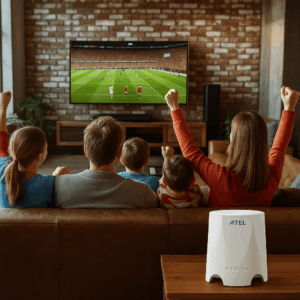
If your Smart TV is buffering, freezing, or dropping video quality every night, you’re not alone. In 2026, streaming should feel effortless, but a lot of homes are still stuck with internet that looks “fast” on paper and performs terribly where it matters most: on your TV.
This guide breaks down the best internet connection for Smart TV streaming, what speeds you actually need for HD and 4K, and what causes those frustrating lag spikes. You’ll also see how RingPlanet helps you get reliable streaming with 5G internet, no contracts, US-based support, and plans starting at $29+.
If you want to stop troubleshooting and start streaming, RingPlanet is one of the simplest options to check first.
Understanding the Best Internet Connection for Smart TV (And What People Get Wrong)
The best internet connection for Smart TV isn’t just “the fastest plan.” It’s the connection that delivers consistent performance where your TV actually sits, especially during peak hours.
What “Best Internet Connection” Really Means for Streaming
For a Smart TV, the best internet connection means:
- Low buffering
- Stable video quality (no constant switching from 4K → 720p)
- Reliable connection during peak hours (6pm–11pm)
- Strong WiFi signal or wired stability
- Enough bandwidth for multiple devices at once
Common Misconceptions That Waste Your Money
Here are the biggest myths people believe:
Myth #1: If your speed test says 300 Mbps, you’ll never buffer. Not true. Speed tests don’t measure congestion, WiFi interference, or router quality.
Myth #2: You need 1,000 Mbps for 4K streaming. You don’t. You need stability, not a giant number.
Myth #3: All WiFi is the same. WiFi 5, WiFi 6, and WiFi 6E make a real difference in homes with lots of devices.
Myth #4: Smart TVs “just work” anywhere in the house. Smart TVs are often placed in the worst WiFi locations: corners, behind walls, near appliances, or in entertainment centers.
Why You Need the Best Internet Connection for Smart TV Streaming in 2026
The best internet connection for Smart TV streaming matters more in 2026 than it did even 2–3 years ago. Streaming platforms are heavier. Homes have more connected devices. And 4K (and even 8K in some cases) is becoming the default.
1) Streaming Quality Requirements Are Rising
Typical bandwidth requirements in 2026:
- HD streaming: 5–10 Mbps
- 4K streaming: 25–50 Mbps
- Live sports in 4K: 35–60 Mbps
- Multiple 4K TVs at once: 75–150 Mbps+
If your home has 2 Smart TVs, phones, laptops, and a gaming console, you can easily hit 150–300 Mbps demand during peak hours.
2) The Cost of Inaction Adds Up Fast
When your internet isn’t stable, you lose more than entertainment. You lose time (restarting routers, reloading apps), money (paying for speed you can’t use), productivity (Zoom calls drop, work slows), and stress (especially in households with kids). Even one night of bad streaming can turn into 45 minutes of frustration.
3) Peak-Hour Congestion Is Getting Worse
The biggest reason streaming drops at night is network congestion. Between 6pm and 11pm, everyone in your neighborhood is streaming, gaming, and using video calls. That’s why a stable option like RingPlanet 5G internet can be a game-changer for many homes, especially if your cable provider slows down at night.
4) Your Smart TV Is Only as Good as Your Connection
Smart TVs are basically computers now. They run Netflix, Hulu, Disney+, YouTube, Prime Video, Live TV streaming apps, Sports streaming, and Roku, Apple TV, and Fire TV devices. All of those require consistent bandwidth and low packet loss.
5) Smart Homes Are Competing for Bandwidth
In 2026, your internet is feeding doorbells, security cameras, smart thermostats, Alexa / Google Home, smart appliances, phones and tablets, and remote work laptops. That’s why the best internet connection for Smart TV is usually the one designed for real life, not marketing claims.
Types of Internet Connections for Smart TVs (Pros, Cons, Speeds, Prices)
There are several options that can be the best internet connection for Smart TV use, depending on your location and needs.
Option 1: Fiber Internet (Best When Available)
Typical speed: 300 Mbps – 2,000 Mbps Typical price: $60–$120/month
Pros:
- Extremely stable
- Best for multiple 4K TVs
- Great for remote work and gaming
Cons:
- Not available everywhere
- Often requires installation
- Pricing can climb after promo periods
RingPlanet availability: In some areas through broadband partners
Option 2: Cable Internet (Fast but Congested)
Typical speed: 100–1,000 Mbps Typical price: $50–$120/month
Pros:
- Widely available
- High download speeds
Cons:
- Slows down at night
- Upload speeds often weak
- Contracts and price increases are common
Cable is one of the biggest reasons people search “best internet connection for Smart TV” because it looks fast but often performs poorly during streaming hours.
Option 3: DSL (Usually Not Enough in 2026)
Typical speed: 5–50 Mbps Typical price: $40–$70/month
Pros:
- Available in some rural areas
- Low cost
Cons:
- Too slow for multiple devices
- Not stable for 4K streaming
- Often outdated infrastructure
If you’re still on DSL, upgrading will feel like night and day.
Option 4: Satellite Internet (Improving, But Not Ideal for Streaming)
Typical speed: 25–200 Mbps Typical price: $90–$160/month
Pros:
- Works in remote locations
- Better than no internet
Cons:
- Higher latency
- Weather issues
- Higher monthly cost
Satellite is rarely the best internet connection for Smart TV unless you’re truly off-grid.
Option 5: Fixed Wireless (Great for Some Homes)
Typical speed: 50–300 Mbps Typical price: $50–$100/month
Pros:
- Strong alternative to cable
- Can be stable depending on tower load
Cons:
- Performance varies by location
- Some providers restrict mobility
Option 6: 5G Home Internet (Best Balance for Most Homes)
Typical speed: 50–500 Mbps (varies by location) Typical price: $29–$99/month
Pros:
- Quick setup
- No digging, no long installs
- Great for streaming, Roku, gaming
- Can avoid cable congestion
Cons:
- Needs good signal
- Performance depends on tower traffic
RingPlanet advantage: RingPlanet offers 5G home internet plans with no long-term contracts, US-based support, and setup within 24–48 hours.
Option 7: Mobile Hotspot (Good Backup, Not Primary)
Typical speed: 10–200 Mbps Typical price: $30–$100/month
Pros:
- Portable
- Great for travel and backup
Cons:
- Can throttle
- Not ideal for full-time 4K streaming
RingPlanet offers portable options: Mobile hotspot plans
How to Choose the Best Internet Connection for Smart TV (Without Overpaying)
Here’s how to pick the best internet connection for Smart TV streaming in 2026.
Step 1: Start With Your Streaming Quality
Ask yourself: Are you streaming in HD or 4K? Do you watch live sports? Do you stream on 2 TVs at once?
Quick rule:
- 1 TV in HD: 25 Mbps is fine
- 1 TV in 4K: 50 Mbps is safer
- 2 TVs in 4K: 100 Mbps+ recommended
- Whole family streaming + gaming: 200 Mbps+
Step 2: Consider Your Home Layout
Your WiFi performance depends heavily on walls (brick and concrete are brutal), distance from router, TV placement, and nearby electronics (microwaves, baby monitors). This is why some homes with 500 Mbps still buffer.
Step 3: Avoid These Common Mistakes
- Buying the fastest plan but keeping a 6-year-old router
- Putting the router in a closet or behind the TV
- Using 2.4 GHz WiFi for streaming
- Ignoring mesh WiFi in large homes
- Assuming “WiFi bars” tell the truth
Step 4: Decide If You Need a Backup Connection
If streaming is important, a backup connection is becoming normal. RingPlanet offers backup internet solutions.
Best Internet Connection for Smart TV: Use Case Recommendations
For Families (Multiple TVs + Devices)
You need 100–300 Mbps, strong WiFi coverage, and stable peak-hour performance.
Best choices: Fiber, RingPlanet 5G internet, or Cable + backup internet
For Remote Workers Who Stream at Night
You need stable upload speeds, low dropouts, and reliable evening performance.
Best choices: Fiber, RingPlanet 5G internet, Fixed wireless
For Small Businesses Using Smart TVs
If you run a business that uses Smart TVs for waiting rooms, gyms, restaurants, or retail displays, you need stable streaming and the ability to move equipment if needed. RingPlanet is strong here because it offers portable solutions. Learn more: Business internet
RingPlanet Plans for Smart TV Streaming (2026)
RingPlanet offers flexible options designed for streaming-heavy households.
| Plan Tier | Best For | Typical Speeds | Starting Price | Key Features |
|---|---|---|---|---|
| Starter 5G | 1 TV + basic streaming | 50–150 Mbps | $29+ | No contracts, quick setup |
| Standard 5G | Families + 4K | 100–300 Mbps | $49+ | 5G speeds, US support |
| Premium 5G | Multi-TV + gaming | 200–500 Mbps | $79+ | Best performance, stability |
| Backup Add-On | Streaming insurance | Varies | $29+ | Failover-ready options |
Included in RingPlanet service:
- No long-term contracts
- Setup in 24–48 hours
- 100% US-based customer support
- Money-back guarantee
Get started here: Check coverage
Installation & Troubleshooting: DIY Setup vs Pro Help
RingPlanet is designed to be plug-and-play for most homes.
DIY Setup (Most Customers)
- Unbox your router
- Plug it into power
- Place it near a window or open area
- Connect your Smart TV or Roku
- Run a speed test
- Stream a 4K video to confirm performance
Pro Setup (If You Want Best Results)
Pro setup is helpful if you have a large home, your TV is far from the router, you need mesh WiFi, or you have thick walls. RingPlanet support can guide you through placement and optimization. Get in touch with a specialist.
Cost Analysis: What You Pay vs What You Get
Most people overspend on internet because they’re paying for raw speed instead of streaming performance.
Typical Costs (2026)
Cable: $60–$120/month, often increases after 12 months, may require contract
Fiber: $70–$130/month, best performance if available
RingPlanet 5G internet: Plans start at $29+, no long-term contract, fast setup
ROI: Why Stability Matters More Than Speed
If your internet is stable, your streaming works at night, your TV stops buffering, your household stops fighting the WiFi, and your work calls don’t drop. That’s worth more than “1,000 Mbps” marketing.
Best Internet Connection for Smart TV vs Cable Internet
Cable is often the default choice, but it’s not always the best.
Where Cable Wins
- High download speeds
- Easy availability
- Works well in off-peak hours
When Cable Loses
- Slows down during peak hours
- Price increases after promos
- Contracts
- Upload speed is weak
Where RingPlanet 5G Wins
- No contracts
- Faster setup
- Strong alternative when cable slows at night
- Portable options available
Compare: 5G vs cable internet
FAQs: Best Internet Connection for Smart TV (2026)
1) What is the best internet connection for Smart TV streaming in 2026?
For most people, it’s either fiber (if available) or a strong 5G home internet solution like RingPlanet.
2) How much internet speed do I need for a Smart TV?
HD: 5–10 Mbps. 4K: 25–50 Mbps. If you have multiple TVs, you’ll want 100 Mbps+.
3) Is 100 Mbps enough for Smart TV streaming?
Yes, for most homes. It supports 4K streaming plus several other devices.
4) Is 300 Mbps overkill for streaming?
Not if you have multiple TVs, gaming consoles, and remote work devices.
5) Why does my Smart TV buffer even with fast internet?
Usually because of WiFi interference, router placement, peak-hour congestion, or weak signal to the TV.
6) Does a Smart TV need 5G internet?
Not specifically, but 5G home internet can be one of the best upgrades if cable is unreliable.
7) Is RingPlanet good for Smart TV streaming?
Yes. RingPlanet offers 5G speeds, no contracts, US-based support, and fast setup.
8) Can RingPlanet internet handle 4K streaming?
Yes, in most coverage areas.
9) How long does RingPlanet setup take?
Most customers can be set up within 24–48 hours.
10) Does RingPlanet require a contract?
No. RingPlanet offers no long-term contracts.
11) Can I use RingPlanet internet with Roku?
Yes. RingPlanet works great with Roku devices. Learn more: Internet for Roku
12) Should I use WiFi or Ethernet for streaming?
Ethernet is more stable. WiFi is fine if your signal is strong and your router is modern.
13) What’s better for Smart TV: mesh WiFi or a stronger router?
Mesh WiFi is better for large homes. A strong router is enough for small spaces.
14) Can I use a mobile hotspot for Smart TV?
You can, but it’s usually better as backup, not primary.
15) What’s the cheapest way to improve streaming? ‘
Move your router, switch to 5 GHz WiFi, upgrade your router, add a mesh system, or consider RingPlanet 5G internet.
16) Does streaming use a lot of data?
Yes. 4K can use 7–10 GB per hour.
17) Will my streaming slow down at night?
It can, especially with cable providers due to congestion.
18) What’s the best internet for live sports streaming?
Stable 100 Mbps+ is ideal, especially for 4K.
19) Is 5G internet reliable for Smart TVs?
Yes, if you’re in a good coverage area and the router is placed well.
20) How do I check if RingPlanet is available in my area?
Use RingPlanet’s coverage check tool: Check coverage
Conclusion: The Best Internet Connection for Smart TV in 2026
If you want smooth streaming in 2026, here’s what matters most: stability beats speed, 4K needs 25–50 Mbps per TV, peak-hour performance is the real test, router placement matters more than most people realize, and 5G home internet is one of the best upgrades for streaming households.
RingPlanet makes it simple to get connected with no contracts, 5G speeds, US-based support, and setup in 24–48 hours. Ready to upgrade? Get in touch and find the right plan for your home.