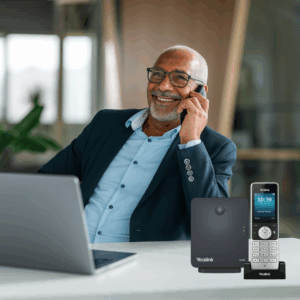
Backup internet for apartments is one of the most practical investments any renter can make. A building-wide cable outage during a remote workday. A provider failure the night of a crucial streaming event. A shared building connection that slows to a crawl during peak evening hours. Every apartment resident has experienced at least one of these scenarios. At RingPlanet, we have spent over 30 years helping renters and apartment dwellers stay connected when primary internet service fails, and a plug-and-play wireless backup is the simplest, fastest solution available.
Why Apartment Internet Outages Are So Common
Apartment buildings concentrate dozens or hundreds of households on shared internet infrastructure. That concentration creates vulnerabilities that single-family homes rarely experience.
A cable running into the building serves every unit on the same line. A single point of failure in the building’s wiring closet takes every apartment offline simultaneously. A provider outage affecting the building’s connection point leaves every resident without service until the provider resolves the issue.
Even without a full outage, shared building infrastructure creates performance problems. Evening hours bring peak usage from every unit streaming, gaming, and video calling at the same time. Speeds slow across the building. Video calls drop. Streaming buffers. Smart home devices disconnect.
These are not rare events. Apartment residents experience internet disruptions more frequently than homeowners because the shared infrastructure model creates more points of failure and more bandwidth competition.
Backup Internet for Apartments: How Wireless Solves the Problem
A wireless backup internet connection runs on completely separate infrastructure from the building’s cable or fiber service. A 4G LTE or 5G device inside the apartment connects to a nearby cell tower on a major U.S. network. The connection is private, dedicated, and independent from every other unit in the building.
When the building internet goes down, the wireless backup device powers on and broadcasts a Wi-Fi signal within 60 seconds. Every device in the apartment reconnects to the backup network. Remote work continues. Streaming resumes. Smart home devices come back online.
The backup runs on a cellular network that has nothing to do with the building’s wiring, the cable provider’s equipment, or the shared infrastructure in the basement. A cable outage affecting the entire building has zero effect on the wireless backup inside one apartment.
RingPlanet’s apartment building internet solutions are designed for exactly this scenario. The device arrives pre-configured, requires no installation or landlord approval, and works the moment it plugs in.
Backup Internet for Apartments: 4G LTE vs. 5G Performance
Both 4G LTE and 5G work effectively as apartment backup internet. The right choice depends on coverage at the building’s specific location.
4G LTE covers the vast majority of U.S. apartment buildings, including urban, suburban, and smaller market locations. Speeds of 25 to 100 Mbps on a strong 4G LTE connection handle video calls, streaming, smart home devices, and general browsing during an outage without any noticeable performance difference from the primary cable connection.
5G coverage is strongest in urban and dense suburban areas where apartment buildings are most common. A 5G backup connection in a well-covered urban neighborhood delivers speeds of 100 Mbps and above. Performance during a backup activation is often indistinguishable from fiber.
RingPlanet’s devices automatically connect to the strongest available signal. An apartment in a 5G-covered building uses 5G speeds. A building in a 4G LTE area uses reliable LTE performance. No manual configuration needed.
Why Apartments Need Backup Internet More Than Houses
Single-family homes have individual cable drops, individual router setups, and individual relationships with providers. When something goes wrong, the homeowner troubleshoots one connection at one address.
Apartments are different in several important ways.
Shared infrastructure magnifies failures. A single cable cut in the building’s utility room takes every unit offline. A homeowner’s cable cut affects one household. The same physical event in an apartment building affects every resident simultaneously.
Building management controls the primary connection. In many apartment buildings, the primary internet provider is chosen by building management, not by individual residents. A resident who dislikes the building’s provider or experiences poor performance cannot simply switch to a competitor without the landlord’s involvement.
Installation restrictions limit backup options. Many apartment leases prohibit drilling, mounting satellite dishes, or modifying building infrastructure. A plug-and-play wireless device requires none of these. The device sits on a shelf or windowsill inside the apartment. No modification to the unit. No landlord approval required.
Dense occupancy creates congestion. A 200-unit apartment building with every household streaming during peak hours puts enormous demand on shared cable infrastructure. A wireless backup on a separate cellular network avoids that congestion entirely.
Who Benefits Most From Apartment Backup Internet
Remote Workers in Apartment Buildings
A remote worker who loses internet during a workday loses productivity, misses meetings, and risks professional credibility. When the outage is building-wide, calling the landlord or provider does not restore the connection any faster. A wireless backup activates in minutes and keeps the workday on track while the building connection is restored.
Apartment Residents With Smart Home Systems
Smart locks, security cameras, thermostats, and voice assistants all depend on a live internet connection. A building outage disables the entire smart home setup simultaneously. A wireless backup keeps security cameras recording, smart locks operational, and temperature controls responsive.
Students in Off-Campus Apartments
A college student in an off-campus apartment cannot afford to miss an online exam or virtual class because the building internet went down. A wireless backup ensures academic obligations are met regardless of building infrastructure problems.
Anyone Working Evening Hours From Home
Freelancers, gig workers, and shift-based remote employees who work during peak evening hours face the worst building congestion. A wireless backup provides a private connection that does not compete with every other unit in the building for bandwidth.
Setting Up Backup Internet in an Apartment
The setup process requires no technical expertise and no modifications to the apartment.
Place the device near a window. Wireless signals from cell towers travel through glass more effectively than through concrete and brick apartment walls. A windowsill or shelf near an exterior window delivers the strongest incoming signal.
Test signal strength at two or three positions. Most wireless devices display signal strength bars. Testing near different windows in the apartment identifies the optimal placement before settling on a permanent location.
Keep the device powered and ready. The device can remain in standby mode, consuming minimal electricity while staying ready to broadcast a Wi-Fi network the moment the primary connection fails.
Connect devices during an outage. When the building internet goes down, connect the laptop, phone, and other devices to the backup Wi-Fi network. The transition takes under five minutes for most households.
For apartments where the resident wants automatic failover, a dual-WAN router monitors the primary connection and switches to the wireless backup instantly when an outage is detected. This approach eliminates even the few minutes of manual switching.
The Cost Math for Apartment Backup Internet
The monthly cost of a wireless backup plan is modest compared to the consequences of even one significant outage.
A remote worker who loses four hours of productivity during a cable outage loses more in billable time than the entire annual cost of a backup plan. A student who misses an exam deadline faces academic consequences that no refund from the cable provider can fix. A freelancer who cannot deliver a project on time risks losing a client permanently.
RingPlanet’s backup internet plans run month to month with no long-term contract. The monthly cost is predictable and transparent. No equipment rental fees. No installation charges. No termination penalties.
According to the FCC’s Network Outage Reporting System, significant internet outages affect millions of U.S. households annually, with apartment buildings and multi-dwelling units experiencing disproportionate impact due to shared infrastructure dependencies.
RingPlanet’s 5G wireless internet plans serve as both primary connections and dedicated backup solutions for apartment residents across the United States.
What to Look for in Apartment Backup Internet
Three factors determine whether a backup solution actually protects an apartment resident during an outage.
Complete infrastructure independence. The backup must connect to a completely different network from the building’s primary internet. A wireless device on a major U.S. cellular network is fully independent from cable and fiber infrastructure. This separation is what makes the backup genuinely useful.
No installation or lease violations. The backup solution must work without drilling, mounting, or modifying the apartment unit. A plug-and-play wireless device meets this requirement by design.
Sufficient speed for critical tasks. The backup needs to support the most important activities during an outage: video calls, streaming, payment processing for home-based businesses, and smart home operation. Both 4G LTE and 5G handle all of these reliably.
Frequently Asked Questions
What is backup internet for apartments and why is it needed?
Backup internet for apartments is a secondary wireless connection that activates when the building’s primary cable or fiber service goes down. Apartment buildings share infrastructure, making building-wide outages more common than in single-family homes.
Does apartment backup internet require landlord approval or installation?
No. A plug-and-play wireless device sits inside the apartment on a shelf or windowsill. No drilling, mounting, or building modifications are required. No landlord approval is needed.
How fast is wireless backup internet in an apartment building?
A strong 4G LTE connection delivers 25 to 100 Mbps. A 5G connection delivers 100 Mbps and above. Both support video calls, streaming, and multi-device use during building internet outages.
Does a wireless backup run on a separate network from the building internet?
Yes. A wireless backup on a major U.S. carrier network connects to cellular tower infrastructure. This is completely independent from the building’s cable or fiber wiring. A cable outage has no effect on the wireless backup.
Is there a contract required for apartment backup internet?
No. RingPlanet offers no-contract wireless backup plans for apartment residents. Plans run month to month and cancel anytime without a termination fee.
The Bottom Line for Apartment Residents
Backup internet for apartments is the most practical way to protect against the building-wide outages, peak-hour congestion, and shared infrastructure failures that apartment residents experience more frequently than homeowners. A wireless device on a separate cellular network keeps remote work, streaming, smart home systems, and daily connectivity running when the building connection fails.
RingPlanet brings over 30 years of connectivity experience to apartment residents across the United States. Plug-and-play setup, major 4G and 5G network coverage, month-to-month flexibility, and transparent pricing make wireless backup the clear choice for renters who cannot afford to go offline.
If protecting against apartment internet outages is the goal, we can help find the right backup plan for any building and address. Contact RingPlanet to check coverage and get started today.