Losing internet shouldn’t mean losing productivity — and protecting yourself against outages shouldn’t require an expensive second plan. The good news is that cheap backup internet is genuinely achievable for most households. A reliable backup that handles video calls, remote work, and basic browsing can cost as little as $10–$30 a month — far less than the cost of a single lost workday. At RingPlanet, we offer no-contract 5G and LTE backup plans designed for exactly this — reliable coverage without long-term financial commitment.
This guide breaks down the most affordable backup internet options available in 2026, what you actually get at each price point, and how to avoid the common mistakes that turn a cheap backup into an expensive problem. For the complete overview of all backup internet options including setup guides and rural coverage, see our Backup Internet for Home guide.
What “Cheap” Backup Internet Actually Means
Cheap backup internet doesn’t mean unreliable internet — it means appropriately priced for backup use. A backup connection doesn’t run 24/7. It activates when your primary goes down. That means you don’t need gigabit speeds or unlimited data. You need enough bandwidth for your critical tasks, available when it matters.
The sweet spot for most homes: a connection that handles 2–4 simultaneous video calls and basic browsing, on a month-to-month plan with no installation fees and no cancellation penalties. Paying for more than that on a backup plan is money spent on capacity you’ll almost never use.
Cheapest Backup Internet Options Ranked by Cost
1. Add Hotspot Data to an Existing Phone Plan (~$10–$30/month)
If you already pay for a smartphone plan, adding or increasing hotspot data is the cheapest entry point into backup internet. Most major carriers offer hotspot add-ons for $10–$30/month. Your phone becomes a mobile Wi-Fi router that your home devices connect to during an outage.
The catch is data. Most plans throttle hotspot speeds sharply after 15–50GB — and battery drain is significant during extended use. This option works well for infrequent, short outages where light connectivity is all you need. For a household with multiple remote workers or students, it will run out of steam quickly during an extended disruption.
2. Prepaid Hotspot Device (~$20–$50/month)
A standalone prepaid hotspot device — separate from your phone — gives you a dedicated backup without touching your phone plan. Prepaid options let you pay only for the months you actually need data, with no annual commitment. Some carriers allow you to pause the plan between outages, which keeps costs low during periods when your primary connection is stable.
The device itself typically costs $50–$100 upfront, but no ongoing contract means the total cost over time stays low for households that experience outages infrequently.
3. No-Contract 4G/5G Fixed Wireless (~$30–$60/month)
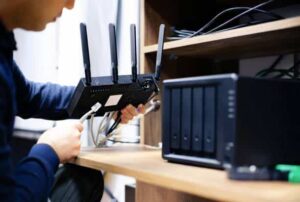
A dedicated 4G LTE or 5G fixed wireless backup from a provider like RingPlanet sits in a different category from hotspots. It’s a home router that connects to cellular towers and broadcasts proper Wi-Fi throughout your space — not just around your phone. Speeds are significantly faster and more consistent than a phone hotspot, it doesn’t drain any battery, and month-to-month pricing means no long-term lock-in.
For households where more than one person needs to stay connected during an outage, this is the most cost-effective option that actually delivers household-grade performance.
4. DSL Secondary Line (~$25–$50/month, where available)
In areas where DSL providers still offer standalone service, a basic DSL line can serve as a cheap secondary connection. It runs on telephone copper lines — different infrastructure from cable — making it a legitimate backup. Speeds are slower than wireless options, but for backup use they are often sufficient. Availability is shrinking as providers retire legacy copper networks, so check local availability before counting on this option.
Backup Internet Cost Comparison
| Option | Est. Monthly Cost | Data Limits | Speed | Contract |
|---|---|---|---|---|
| Phone hotspot add-on | $10–$30 | 15–50GB then throttled | Variable | None |
| Prepaid hotspot device | $20–$50 | 10–100GB plans | Moderate | None |
| 4G/5G Fixed Wireless (RingPlanet) | $30–$60 | Flexible plans | Fast | None |
| DSL secondary line | $25–$50 | Unlimited typically | Slow–Moderate | Varies |
How to Calculate What You Actually Need
The cheapest backup internet is the cheapest one that handles your critical use cases. Overpaying for speed you don’t need wastes money. Underpaying for data you’ll exhaust on the first day of an outage leaves you worse off than having no backup at all.
Bandwidth Requirements by Use Case
- Single video call: 3–5 Mbps — a basic hotspot handles this easily
- Remote work household (2–3 people): 25–50 Mbps — fixed wireless is the right tier
- HD video streaming: 5–15 Mbps per stream
- Smart home devices: 1–5 Mbps combined for typical setups
- Online gaming: Needs low latency more than raw speed — fixed wireless delivers this more reliably than hotspots
Mistakes That Make Cheap Backup Internet More Expensive
These are the mistakes people make when trying to save money on backup internet — and what they end up costing:
- Choosing a plan with data caps too low for your household: You’ll exhaust data mid-outage and face throttled speeds at the worst possible time
- Signing a contract to get a lower monthly rate: A 12-month contract on a backup you rarely use costs more in total than a month-to-month plan at a slightly higher rate
- Picking the cheapest hardware: A $15 hotspot with poor signal reception isn’t cheap if it doesn’t provide a usable connection in your home
- Not testing it before you need it: A cheap backup that fails during an actual outage has cost you more than the plan price in lost productivity
Money-Saving Tip: If your outages are infrequent — fewer than 2–3 per year — a prepaid hotspot with a pay-as-you-go data plan is the cheapest option. If outages happen monthly or you work from home, a no-contract fixed wireless plan from RingPlanet is better value — more reliable, faster, and worth the modest additional monthly cost.
What the FCC Says About Home Internet Resilience
The FCC recommends that households maintain at least one backup communication method that operates independently of their primary broadband service — particularly for emergencies. A cellular-based backup internet connection satisfies this recommendation and goes a step further by keeping your full home network running, not just a single device. You can read more about the FCC’s guidance on home connectivity resilience at fcc.gov.
Frequently Asked Questions
What is the cheapest backup internet option for a home?
Adding hotspot data to an existing phone plan is typically the cheapest entry point, starting around $10–$30/month. For households where internet reliability matters — remote work, students, smart home systems — a no-contract 4G/5G fixed wireless plan offers better performance for a modest additional cost.
Can I get free backup internet?
Not reliably. Some public Wi-Fi locations are free but aren’t a practical home backup. Some phone plans include limited hotspot data at no extra charge — check your current plan details. For any real backup capability during a home outage, a paid plan is necessary.
Is a cheap backup internet plan reliable enough for remote work?
A no-contract 4G/5G fixed wireless plan from a provider with good coverage in your area is reliable for remote work backup. Basic phone hotspots work for light use but may struggle with extended video calls or multiple simultaneous users. See our Cellular Backup Internet guide for a full breakdown of what to expect from cellular backup performance.
Do I need special equipment for cheap backup internet?
For a phone hotspot, no — your phone broadcasts the Wi-Fi directly. For a fixed wireless backup plan, the provider typically includes a router or device. Always confirm whether equipment fees are included in the monthly price when comparing options.
How does cheap backup internet connect to my existing home network? For automatic failover — where your network switches to backup without manual intervention — you’ll need a dual-WAN router. For manual switching, you simply connect devices to the backup Wi-Fi network when the primary goes down. Our Internet Failover Solutions guide covers the full setup process.
Related Guides
- Backup Internet for Home — Complete Guide
- Cellular Backup Internet Explained
- Internet Failover Solutions